

AI Document Data Entry for Invoices, Contracts, and Delivery Notes
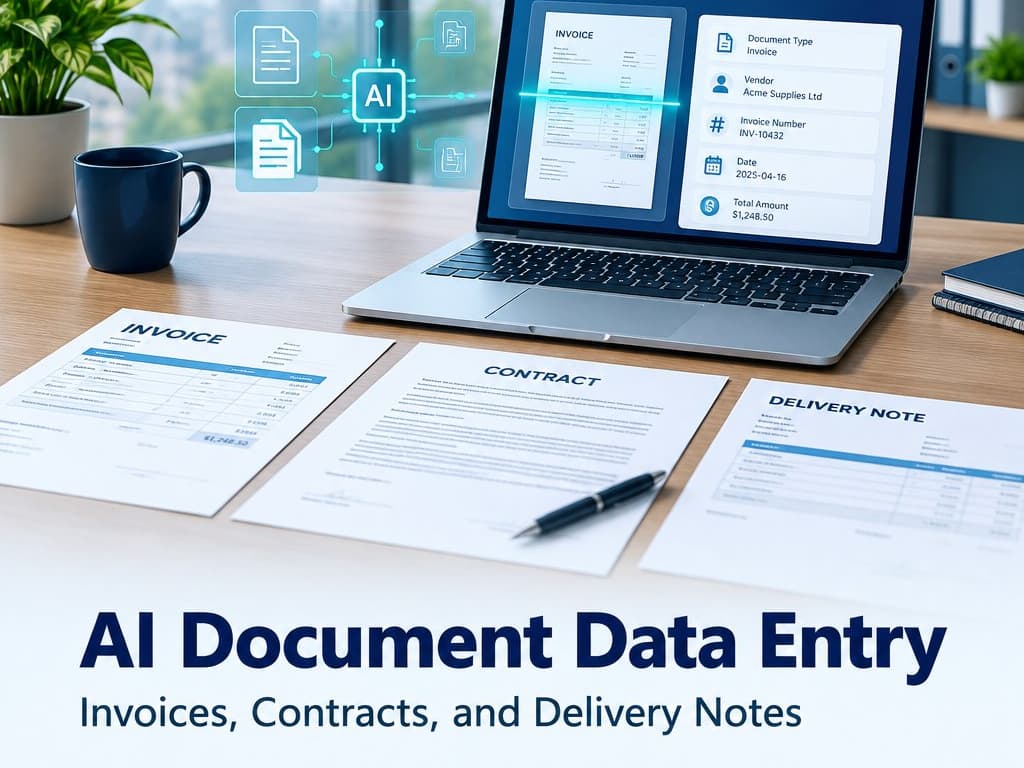
AI can extract invoice, contract, and delivery-note details, with a human review queue for unclear fields and sensitive records.
AI Document Data Entry for Invoices, Contracts, and Delivery Notes
Your team receives supplier invoices as PDFs, delivery notes as phone photos, and signed contracts in different formats. Someone opens each file, retypes the important details, and checks the entry against the original. AI document data entry can extract information and prepare a record automatically, but unclear pages and unusual cases still need a person to review them.
The goal is not to promise that every document will be read perfectly. It is to reduce routine typing, flag uncertain fields, and make sure the final record can be checked against its source.
Tip
TL;DR: Let AI prepare fields from one common document type, then route unclear values and sensitive cases to a reviewer. Measure corrections and time saved before expanding.
AI document data entry: which documents are good candidates?
Supplier invoices are often a practical first choice because they repeat a familiar set of fields: supplier name, invoice number, date, totals, tax details, and line items. Delivery notes can help match what arrived with a purchase order. A contract may contain parties, dates, renewal terms, and payment milestones, though those details often need careful review because the wording varies.
Identity document copies can be sensitive and should only be processed when the business has a legitimate need and an approved handling process. Limit the fields collected, restrict access, and set a retention period with the person responsible for privacy and compliance. Do not copy identity details into unrelated systems merely because extraction makes it easy.
Start with documents that are common, legible, and similar enough to check. Handwriting, low-quality photos, unusual layouts, multiple currencies, and long contracts are harder than clean invoices. If most documents arrive in a different format every time, the first task may be to agree on what fields matter and how staff currently decide what to enter.
What happens from upload to saved record?
A simple workflow receives the document through an approved channel, reads the visible text and layout, and prepares proposed field values. The system checks required fields and obvious inconsistencies, such as a missing invoice number or a total that does not match the displayed line items. It then places the document in a review queue rather than silently treating every extracted value as final.
A staff member sees the original page beside the proposed values, confirms or corrects them, and approves the record. The system keeps a link to the source document and marks who reviewed it. Once the process is trusted for a specific document type, a business may choose to auto-accept only low-risk fields that meet defined checks; exceptions still go to a person.
This matters because extraction confidence is not the same as business correctness. A document can be read accurately but still refer to the wrong purchase order or duplicate an invoice already entered. Compare supplier, invoice number, date, amount, and business context before creating a financial record.
Accuracy in practice: catch mistakes instead of hiding them
Accuracy depends on the document quality, format, language, field, and how the result is checked. A clear printed invoice usually presents a simpler task than an email photo with a folded corner. Line items, discount terms, handwritten notes, and stamps can be less reliable than a large invoice total. Test each category using a sample that represents your real files, including poor examples.
Build checks around the cost of being wrong. A supplier name may be matched against an approved list; an invoice total can be compared with the sum of lines; a contract date can be highlighted for confirmation. If the assistant is unsure or the values conflict, send the document to review with a reason. Do not hide uncertainty behind a single overall accuracy percentage that combines important and unimportant fields.
Track corrections by field and supplier. If the system often misreads a particular layout, add a supplier-specific check or keep that supplier in the review queue. If duplicate invoices are the common problem, improve duplicate detection instead of focusing only on text recognition.
A review queue keeps people in control
The queue should tell a reviewer why a document needs attention: unreadable date, missing purchase order, possible duplicate, mismatch between tax and total, or restricted document type. The reviewer can accept, correct, reject, or request a replacement. Keep the original unchanged so anyone reviewing later can see what was received.
Give each item an owner and status, and show documents that have waited too long. For a supplier invoice, the queue may route by department or purchase order owner. For a contract, a legal or commercial reviewer may need to approve key terms before anyone records a renewal date. The person checking the document should understand what the fields mean, not merely press approve to clear a backlog.
Calculate time saved with a transparent example
Suppose your business processes 900 supplier invoices each month. If manual typing and initial checking take an average of 2.5 minutes per document, that is 2,250 minutes, or 37.5 staff hours. If automated extraction reduces the routine work to a 45-second review on 70% of invoices while 30% still take the original 2.5 minutes, review time is about 18 hours a month. The estimated difference is roughly 19.5 hours before accounting for exception handling, software cost, and corrections.
Those figures are an example, not a promise. Time the current process across a representative week, include searching and correction, then run a pilot and measure the actual queue. If documents require approval regardless, the system may shorten data entry without removing the approval time. That can still be useful, but the expected benefit should be described accurately.
Keep sensitive documents private
Before uploading documents, know where they are stored, who can view them, how long originals and extracted values are retained, and whether a service provider may use them for other purposes. Use access controls that match job roles and avoid sharing a general account across the team. Encrypt transfer and storage where supported, and document how a user can request correction or removal when appropriate.
For identity papers, contracts, and financial documents, confirm the handling requirements with the responsible business and compliance owners. Remove fields that are not necessary for the workflow, and test on redacted samples when possible. A faster process is not a reason to keep personal data indefinitely.
A quick comparison
| Method | Best fit | Main risk |
|---|---|---|
| Manual entry | Few or highly unusual documents | Repeated typing and delays |
| AI extraction with review | Common, legible documents | Review is still needed for exceptions |
| Automatic posting | Tested, low-risk fields | A missed error can enter the system directly |
Checklist before automating document entry
- Start with one frequent, consistent document type.
- Identify the exact fields and decisions the business needs.
- Test clean, poor-quality, multilingual, and unusual examples.
- Compare extracted values with the original before saving.
- Route uncertainty, duplicates, and mismatches to a human queue.
- Keep a source link and record reviewer corrections.
- Define who can access sensitive documents and when they are deleted.
- Measure staff time and correction rate during a real pilot.
When manual entry is still better
If you process a few documents a month, the setup and review queue may cost more than the typing. Highly varied legal agreements or handwritten forms may need specialist review rather than broad automation. Keep manual handling for rare, sensitive, or high-impact cases until a controlled test demonstrates that automation is dependable enough for the specific field.
Wrapping Up
Document automation works best when it turns repeated typing into a proposed record that a person can verify. Choose a narrow document type, measure field-level errors, keep sensitive files protected, and send unclear cases to review. A transparent pilot will reveal whether the saved time justifies the ongoing cost.
Book a free 30-minute call to review a document-entry workflow.
Related Posts
Related Articles
AI Assistants That Actually Do Tasks: Creating Quotes, Updating Records, and Sending Follow-Ups
AI can draft quotes, update customer records, and prepare follow-ups. Learn where human approval, activity records, and clear limits keep those actions safe.

Ask Your Business Data in Plain English: Overdue Invoices, Late Orders, and Top Customers
Ask plain-English questions about overdue invoices, late orders, and top customers, with traceable answers and role-based access.
Central Kitchen Software: Track Recipe Costs, Branch Orders, and Food Waste
Connect recipe costs, batch production, branch orders, shelf life, and waste with software sized to your central kitchen’s actual workflow.