

Automating Multi-Tenant Environments: Per-School, Per-Branch, Per-Client
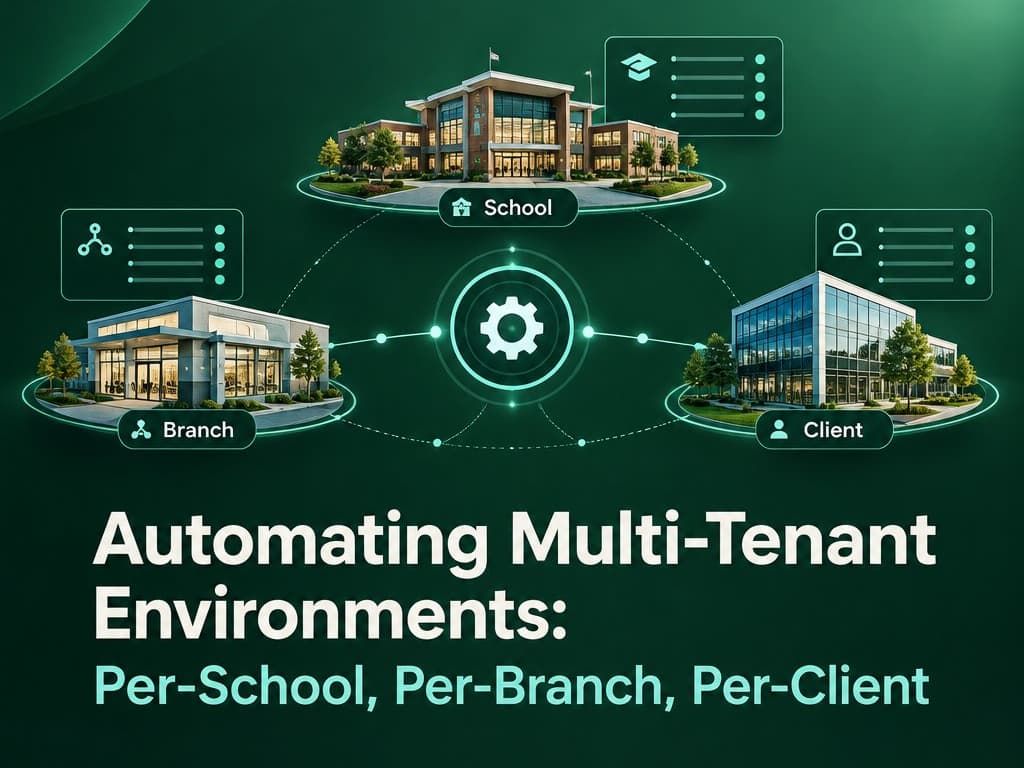
A practical guide to automating multi-tenant environments: choosing an isolation model, provisioning tenants, running migrations, and offboarding cleanly.
Automating Multi-Tenant Environments: Per-School, Per-Branch, Per-Client
The demo works. Then the second customer signs, and someone spends a Friday afternoon creating a database, copying a config file, editing DNS, and pasting credentials into a spreadsheet. By the tenth customer, onboarding takes two days and nobody is sure which environment is running which version.
Automating multi-tenant environments is the difference between a product and a pile of hand-built deployments. The goal is simple: creating a tenant should be one command, and it should produce the same result every time.
This guide covers the decisions that matter: how to isolate tenants, how to provision them, how to run migrations across all of them, and how to remove one without leaving data behind.
Tip
TL;DR — Pick an isolation model deliberately, make tenant creation idempotent, run migrations from one versioned pipeline, and treat offboarding as a first-class workflow with export and deletion proof.
What automating multi-tenant environments actually means
People use these phrases interchangeably, and that causes architectural confusion.
- Per-client usually means a customer organisation. It is the top-level tenant.
- Per-school is often the same thing when the customer is a single school.
- Per-branch is a subdivision inside a customer. A school group with five campuses is one client and five branches.
Decide which one is your tenancy boundary. Everything else is a scope inside it.
If a branch is your tenant, you will end up with hundreds of tiny environments and painful cross-branch reporting. If the client is your tenant, you get one environment per customer and a branch_id inside it. For most school and clinic products, the client is the tenant and the branch is a scope.
Getting that boundary wrong is one of the reasons ERP projects fail, a pattern I covered in why ERP implementations fail in the UAE.
Important
The tenant boundary decides your backup story, your compliance story, and your billing story. Write it down before you write provisioning code.
Pick an isolation model on purpose
There are three common models. None is universally correct.
| Model | Isolation | Migrations | Best fit |
|---|---|---|---|
Shared schema with tenant_id |
Logical, enforced by the app or row-level security | One run for all tenants | Most B2B SaaS, many small tenants |
| Schema per tenant | Logical, one schema each | One run per schema | A small number of large tenants |
| Database per tenant | Physical | One run per database | Regulated or contractually separated clients |
Shared schema is the cheapest to operate and the easiest to scale to many tenants. It is also the easiest to leak data from if one query forgets the tenant filter. Database per tenant is the easiest to reason about and the hardest to operate at scale.
For a school group product, I usually start with shared schema plus row-level security, and move a specific large or regulated client to a dedicated database only when there is a real reason. "It feels safer" is not a reason you can afford to operate.
Whatever you choose, enforce the tenant in one place. A middleware or data-access layer should attach the tenant to every request, and every query should require it. I went through the same decision when I built flexdocs as a self-hosted Firebase alternative: the tenant boundary comes first, and everything else follows.
Provisioning a tenant in one command
Manual provisioning is where drift begins. Automate it from day one, even if you only have three customers.
A good provisioning flow does six things:
- Creates the tenant record and a unique slug.
- Creates the database or schema, or seeds the shared rows.
- Applies the current schema version.
- Creates the first admin user with a one-time invite.
- Configures DNS, storage prefixes, and secrets.
- Writes an audit record with the actor and the result.
Make it idempotent. If the job runs twice, the second run should detect existing resources and continue, not create duplicates.
// scripts/provision-tenant.ts
type TenantInput = { slug: string; name: string; plan: "shared" | "dedicated" };

export async function provisionTenant(input: TenantInput) {
  const tenant = await db.tenants.upsert({
    where: { slug: input.slug },
    create: { slug: input.slug, name: input.name, status: "provisioning" },
    update: {},
  });

  if (input.plan === "dedicated") {
    await ensureDatabase(tenant.slug);
  }

  await runMigrations(tenant.slug);
  await seedReferenceData(tenant.slug);

  const admin = await createAdminInvite(tenant.id);
  await writeAudit({
    tenantId: tenant.id,
    action: "tenant.provisioned",
    metadata: { plan: input.plan, adminEmail: admin.email },
  });

  return db.tenants.update({
    where: { id: tenant.id },
    data: { status: "active" },
  });
}
The important part is not the code. It is that the code is the only way to create a tenant. If a human can also do it by hand, the automation will drift.
Tenant-aware migrations
Migrations are the part teams underestimate.
With shared schema, you run one migration and every tenant gets it. That is the big advantage. It is also a risk: a bad migration takes down every customer at once.
With schema or database per tenant, you run the migration N times. That gives you a canary, but it also gives you N chances to fail halfway and leave a mixed-version fleet.
A workable process:
- Version every migration and store the applied version per tenant.
- Run the migration on a canary tenant first.
- Check a health signal before continuing.
- Continue in batches, with a pause between them.
- Record failures per tenant and resume from the failed one, not from the start.
- Keep migrations backward compatible for one release so a rollback does not require a data restore.
That last point matters more than the tooling. If the new code can read the old schema, you can roll back code without rolling back data.
Warning
A migration pipeline that cannot resume is a migration pipeline that will eventually run twice. Make every migration idempotent or tracked.
Offboarding and data export
Every tenant will eventually leave, merge, or ask for deletion. If your only plan is "drop the database", you will fail an audit.
Offboarding needs four steps:
- Export. Produce a complete, documented export in a format the customer can read.
- Grace period. Keep the data recoverable for an agreed window.
- Deletion. Remove data from primary storage, backups, caches, search indexes, and object storage.
- Proof. Record what was deleted, when, and by whom.
If you are subject to data residency or privacy rules, this is not optional. I covered the regional angle in Saudi PDPL and data residency for CRMs, and the same logic applies to any tenant with personal data.
Guardrails that keep tenants apart
Automation without guardrails just makes mistakes faster. Add these checks early:
- Cross-tenant leak tests. A test suite that tries to read another tenant's rows with a valid session and expects a 403 or an empty result.
- Noisy-neighbour limits. Per-tenant rate limits, query timeouts, and job concurrency caps.
- Tenant-aware logs. Every log line carries a tenant ID so you can investigate one customer without reading everyone else's data.
- Scoped secrets. Each tenant's integrations use their own credentials, not a shared global key.
- Resource quotas. Storage, seats, and API calls have limits that are enforced, not just displayed.
The leak test is the one I would not ship without. It is cheap to write and it catches the class of bug that ends contracts.
A practical starting point
If you are building this now, here is the order I would follow:
- Write the tenancy boundary down and put it in the schema.
- Build provisioning as a script before you have ten customers.
- Add row-level security or a single enforced data-access layer.
- Add a cross-tenant test to CI.
- Automate migrations with a canary and resumability.
- Write the offboarding runbook before the first customer asks.
None of this is glamorous. It is the difference between onboarding customer fifty in an afternoon and onboarding customer fifty with a war room.
Wrapping Up
Automating multi-tenant environments is mostly about making one decision well and then enforcing it everywhere. Choose the tenant boundary, pick an isolation model that matches your risk and scale, and automate provisioning, migrations, and offboarding as if a human will never touch them.
If you are designing a per-school or per-branch product, start with the boundary and the leak test. The rest of the platform gets simpler from there.
Building a multi-tenant product? Look at the systems I build or get in touch to review your tenancy model before it hardens.
Related Posts
Related Articles
Rate Limiting and Caching at the API Gateway Layer: Protecting Your Backend From Its Own Traffic
Most outages aren't attacks, they're your own traffic overwhelming itself. A concept-first look at how rate limiting and caching work together at the API gateway to keep one misbehaving client, integration, or traffic spike from degrading service for everyone else.

The Backup Strategy That Actually Protects Your VPS Data (And Why Automation Isn't Optional)
Manual backups fail under pressure, and unmonitored automated ones fail silently. A layered VPS backup strategy, the 3-2-1 rule, application-aware dumps, encrypted off-site transfer, dead-man's-switch monitoring.
Backup Strategy for a Dockerized MongoDB Replica Set: Disaster Recovery You've Actually Tested
A replica set isn't a backup — it protects against a dead node, not a dropped collection or a bad migration. Here's the mongodump/oplog setup I actually run against a Dockerized MongoDB replica set, why restore testing is the step everyone skips, and when to graduate to filesystem snapshots or PBM i