

Equipment Rental Software for Small Fleets: Bookings, Returns, and Maintenance
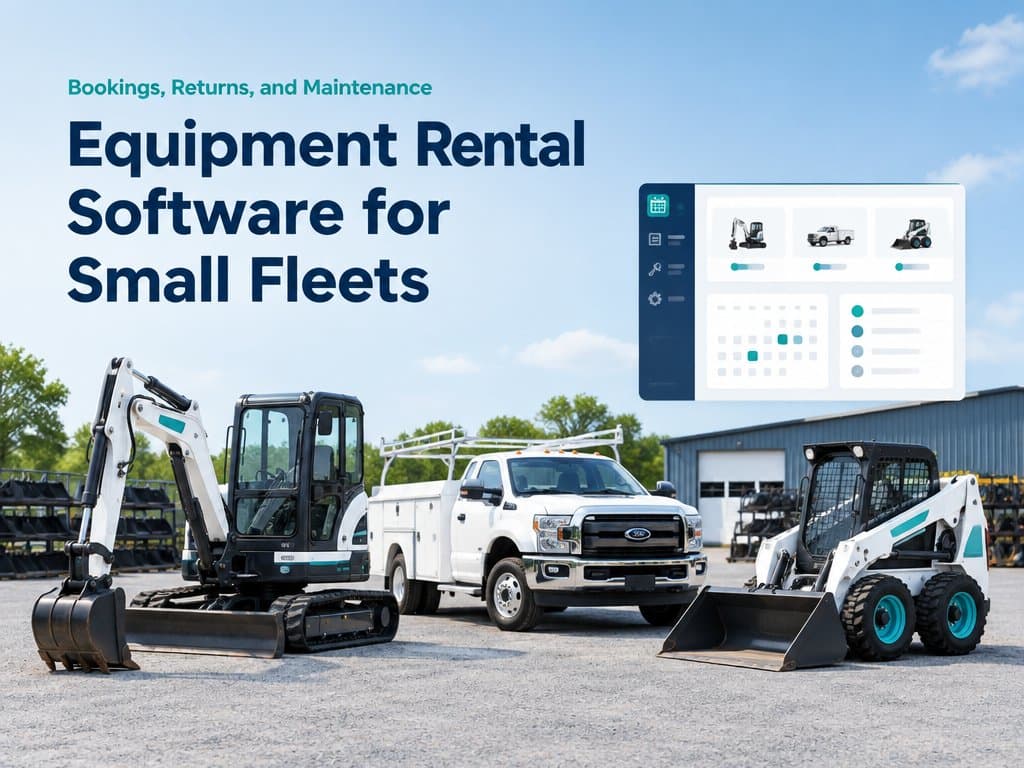
Rental software should track availability, deposits, returns, damage, and maintenance. See when a small fleet needs a simple tool rather than a full ERP.
Equipment Rental Software for Small Fleets: Bookings, Returns, and Maintenance
A customer wants a generator for Thursday, but your spreadsheet says it is available while the machine is still at a site awaiting inspection. Another customer returns a lift late, and the next booking is already on the calendar. Equipment rental software has to answer the questions an owner asks every day: what is available, where is it, when will it return, and is it ready to rent again?
Many general business systems record a sale or invoice well but treat a rental as a one-off transaction. The gap appears when bookings, deposits, condition, delivery, and maintenance all affect the same piece of equipment.
Tip
TL;DR: A small rental shop may need only a rental calendar and asset records, not a full ERP. Move up only when booking conflicts, return tracking, or maintenance cannot be handled reliably with current tools.
Availability is more than a calendar slot
A useful availability calendar needs to show the asset, rental period, pickup or delivery, expected return, and the time needed to inspect or prepare it. A machine that is due back at 9 a.m. may not be ready for another customer at 9:05. Include cleaning, charging, safety checks, and transport time where those steps apply.
The system should prevent two confirmed bookings from claiming the same unit, while still allowing a quote or tentative hold to be distinguished from a paid reservation. If a customer asks for ten units and only eight are available, staff need to know that before promising the order. For equipment that can be substituted, record which equivalent asset was assigned so the yard team can find it.
A fleet owner also needs a location, not merely a status. The unit may be in the yard, on a delivery truck, at a customer's site, or in maintenance. A clear status and last update reduce calls between the office and drivers, especially when the same model has many similar serial numbers.
Deposits, late returns, and damage need a record
Deposits and pre-authorizations should be connected to the contract and asset, with amount, collection date, refund or deduction, and the person who approved the decision. The system should not assume every deposit is refundable in the same way; contract terms and local practices may differ. A finance or operations owner should confirm the rules before automating collection or release.
Late returns can affect the next booking and may create extra charges, but the system should not silently invent a fee. Record the agreed return time, actual return, grace period if the company uses one, and the terms accepted by the customer. Notify staff when a unit is overdue, then let an authorized person review the case and contact the customer. A dispute or extension needs a clear status rather than an overwritten date.
When equipment comes back damaged, capture condition at dispatch and return, photographs where useful, notes, and the person who inspected it. Attach the record to the rental and unit so the next employee does not rely on memory. This helps separate existing wear from new damage and supports a fair conversation with the customer.
Maintenance prevents a booking from becoming a breakdown
Each asset may need routine service after a number of operating hours, a set time period, or a safety inspection. Record the due date or meter reading and make the asset unavailable while required work is open. A warning that no one sees is not a maintenance plan; assign a person, expected completion date, and return-to-service check.
After a rental, the team can record faults reported by the customer or found during inspection. Over time, the owner can see which units spend too much time in repair, which parts recur, and whether service is planned before peak demand. The goal is not to predict every failure, but to stop known maintenance from being hidden behind a new booking.
How double bookings and untracked damage cost revenue
A double booking can mean a lost rental, a last-minute subcontracted replacement, a delivery refund, or damage to a customer relationship. Calculate the impact from your own records: count confirmed jobs affected, the margin lost or replacement cost, extra transport, and staff hours used to resolve them. Avoid treating the full booking value as lost if you were able to serve the customer with another unit.
Untracked damage is harder to measure because a repair may be entered as general maintenance and never linked to the rental. Compare repair records with return inspections, and identify cases where the business paid for work that should have been reviewed under the contract. Better documentation may reduce disputes, but it does not guarantee that every customer will accept a charge.
Example: a small equipment rental yard
Imagine a rental company with twenty compressors, a few generators, and delivery across two cities. The office tracks customer dates in a calendar, maintenance in a notebook, and deposits in accounting software. When the phone rings, an employee checks all three before answering. If one record is outdated, they may promise a unit that cannot be dispatched.
A rental-first flow ties a customer quote to a selected asset or capacity group, checks the rental and preparation windows, and records the contract and deposit once accepted. At return, a checklist captures meter reading and condition; if inspection finds a problem, the machine moves to maintenance and cannot be booked until cleared. Accounting still owns the final payment and deposit decisions, but staff can see the operational status without asking three people.
A quick comparison
| Option | Often fits | Watch for |
|---|---|---|
| Shared calendar and accounting tool | Small fleet, few overlapping bookings | Separate records can drift |
| Rental management software | Regular bookings and return checks | Confirm asset and maintenance features |
| Custom integration or system | Distinct workflows across several tools | Build and support cost must be justified |
What to ask a vendor before you buy
- Can the system distinguish a quote, reservation, confirmed rental, and returned unit?
- Does it block overlapping bookings and preparation time for the same asset?
- Can staff see location, serial number, condition, and maintenance status?
- Are deposits, extensions, damage notes, and fees linked to the agreement?
- What happens when a return is late or an asset fails inspection?
- Can the vendor demonstrate a real rental from inquiry to return and repair?
- How do data export, support, training, and future price changes work?
Equipment rental software for small fleets: when current tools are enough
If you rent a small number of similar assets, have few overlapping bookings, and already manage maintenance and contracts reliably, a standard accounting tool plus a shared calendar may be entirely adequate. Rental software becomes more valuable as the same asset serves many customers, availability is hard to calculate, or missed condition records create recurring cost. Do not buy a large platform just because it has the word rental on its feature list; test your most difficult week in a demonstration.
Wrapping Up
Rental operations depend on matching the right asset to the right dates and returning it safely to service. A system built around rentals connects availability, deposits, condition, and maintenance, but the best choice is the smallest one that handles your real exceptions. Measure double bookings, repair delays, and time spent answering availability questions before investing.
Book a free 30-minute call to map your rental workflow.
Related Posts
Related Articles
AI Document Data Entry for Invoices, Contracts, and Delivery Notes
AI can extract invoice, contract, and delivery-note details, with a human review queue for unclear fields and sensitive records.

AI Assistants That Actually Do Tasks: Creating Quotes, Updating Records, and Sending Follow-Ups
AI can draft quotes, update customer records, and prepare follow-ups. Learn where human approval, activity records, and clear limits keep those actions safe.

Ask Your Business Data in Plain English: Overdue Invoices, Late Orders, and Top Customers
Ask plain-English questions about overdue invoices, late orders, and top customers, with traceable answers and role-based access.