
Webhook Automation: When to Stop Paying Zapier and Build Your Own
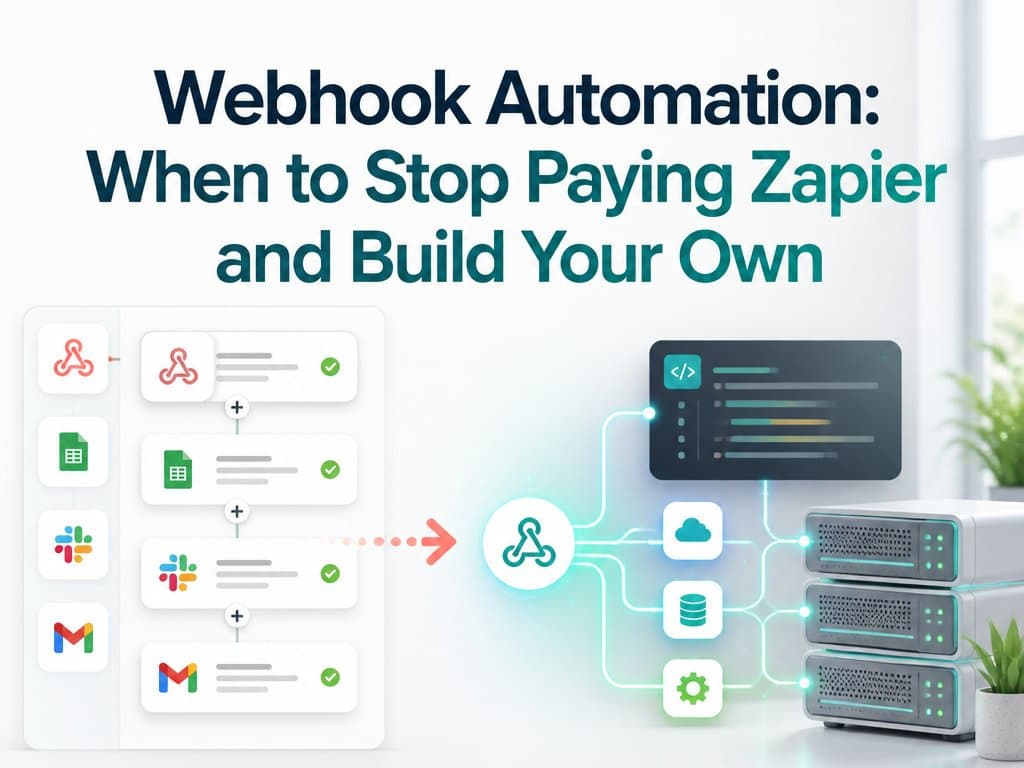
I recommend Zapier all the time. But there's a moment when the monthly bill crosses a line, and a small webhook script does the same job for pennies.
Let me say this first: I like Zapier, and I recommend it to clients every month. For connecting two tools without writing code, without hiring anyone, and without waiting on a developer, it's genuinely brilliant.
But there's a moment I keep seeing, and it arrives in almost every growing business the same way — the moment the monthly bill crosses a line and webhook automation stops being the harder option and starts being the obvious one.
This is the honest version of that decision: when to stay on no-code, when the middle ground is enough, and the specific line past which writing thirty lines of code pays for itself.
Tip
TL;DR — Stay on Zapier while your automation spend is under about $50 a month or your workflows still change weekly; a developer's time costs more than the subscription saves. Past that line, with stable workflows you depend on, custom webhooks usually pay for themselves within a few months — and they can do things zaps can't, like deduplication, controlled retries, and a real log.
Why Zapier Is Still the Right Default
If you're still figuring out what your business should automate, a no-code tool is exactly where you should be experimenting, because changing your mind costs nothing.
That's not a consolation prize. Most automation ideas don't survive contact with reality, and the ability to throw one away after a week — without a deploy, a developer, or a conversation — is worth real money. Start here. Stay here until something forces you out.
When Task-Based Pricing Turns on You
It starts with one zap, the innocent kind: a form submission going into a spreadsheet. Then it's ten zaps. Then the lead volume doubles, the task count doubles with it, and one day someone opens the billing page and finds that a tool whose job is moving small pieces of data between systems now costs more than the hosting, the email service, and the domain combined.
Task-based pricing has a property nobody mentions in the sales copy: it punishes success. The busier your business gets, the more you pay for exactly the same plumbing. Your costs scale with your volume, while the work being done per task stays identical.
What Your Zaps Actually Are Underneath
Here's the part most people don't realize, because no-code tools work hard to keep it invisible. A lot of zaps are doing something embarrassingly simple:
- Form submitted → send it to the CRM.
- Payment received → update a sheet and fire a confirmation email.
- New booking → post a message to the team channel.
Each of those is a webhook: one system sending a small package of data to a URL when something happens, and thirty-ish lines of code to receive it, reshape it, and pass it along. That code runs on a five-dollar server or a free serverless function, handles thousands of events a month without noticing, and never sends you an upgrade email.
If you've never deployed something that small, it's less work than it sounds — containerising a small service is most of the job.
The Middle Ground: Make and Self-Hosted n8n
There is a middle ground, and honesty requires mentioning it. Tools like Make and n8n price more gently than Zapier, and n8n you can self-host, which kills the per-task meter entirely. For plenty of teams that's the right stop, and I've pointed clients there instead of writing code — it's the same economics as self-hosting your backend instead of renting it.
But they cap out in the same place all visual builders do. The day your workflow needs real logic — deduplication, conditional branching that depends on your database, retry behavior you control — is the day the boxes and arrows stop being simpler than code and start being an obstacle to it.
What Changed When One Client Left Zapier
A concrete example, since this is exactly the work I do. I moved one client off a $99-a-month Zapier plan onto a small webhook service I wrote in an afternoon. Same automations they already had, nothing lost.
But because it was now real code, it started doing things the zaps never could do cleanly:
- Deduplicating leads before they hit the CRM, so the same person filling the form twice didn't become two records for the sales team to trip over.
- Retrying failed deliveries instead of silently dropping them.
- Keeping a log, so that when someone asks where a lead went, there's an answer.
Their bill went from $99 a month to roughly the cost of a coffee, and the system got better, not just cheaper.
The Honest Counterargument: Someone Has to Own the Code
The fair counterargument is maintenance, and I won't wave it away. Custom code needs someone who can touch it when an API changes. If you have no developer relationship at all, a subscription you can cancel is safer than a script nobody owns.
That's a real trade, and it's why my rule of thumb has a floor in it. It's the same trade I described in why I stopped recommending off-the-shelf CRMs: custom wins on fit and cost, and loses on who's responsible at 2am.
Zapier vs Make/n8n vs Custom Webhook Automation
| Zapier | Make / self-hosted n8n | Custom webhooks | |
|---|---|---|---|
| Pricing model | Per task — scales with volume | Cheaper per task, or flat if self-hosted | Flat — server cost only |
| Time to first automation | Minutes | Under an hour | An afternoon, once |
| Complex logic | Awkward | Possible, gets ugly | Native |
| Retries and logging | Limited | Partial | You control it |
| Who maintains it | The vendor | You, if self-hosted | You or your developer |
| Best for | Experimenting, changing workflows | Mid-volume, moderate logic | Stable, business-critical flows |
The Rule: When to Switch to Custom Webhook Automation
If your automation spend is under about $50 a month, or your workflows still change every week, stay on the no-code tools and don't look back — a developer's time would cost more than the subscription saves.
Past that line, with stable workflows you understand well and a business that depends on them, custom webhooks usually pay for themselves within a few months, and keep paying every month after.
Three questions that settle it:
- Is the bill above ~$50/month and still climbing with volume? If it climbs with your success, it will keep climbing.
- Have these workflows been stable for a few months? Churning workflows favour no-code, every time.
- Can you name the person who'd maintain the code? If not, stay on the subscription. This one is a hard stop.
FAQ
Is Zapier worth the money?
Yes, right up until task pricing outgrows the value of the plumbing it's doing. For experimentation and low volume it's excellent and I recommend it regularly. For high-volume, unchanging workflows it's the most expensive way to move a small package of data from A to B.
What's the cheapest Zapier alternative?
Self-hosted n8n, if you're willing to run it — the per-task meter disappears and you're paying for a small server. Make sits in between on price. Custom webhooks are cheapest of all at volume, but only if you already have someone who can maintain them.
How long does it take to build a custom webhook integration?
A straightforward one — receive a payload, reshape it, forward it — is an afternoon's work for a developer, including deployment. The complexity lives in what you add afterwards: deduplication, retries, logging, and error alerts.
Do I need a server to run webhooks?
Not necessarily. A free or near-free serverless function handles thousands of events a month comfortably. A five-dollar VPS works too, and gives you somewhere to keep logs.
Wrapping Up
Zapier isn't the villain here — task-based pricing just means your bill grows with your success while the work stays the same. Below about $50 a month, or while your workflows are still moving, the subscription is the right call. Above it, with flows you depend on and someone who can own the code, thirty lines of webhook automation costs pennies and does more.
The best automation isn't the one with the prettiest dashboard. It's the one you stop thinking about entirely.
If your automation bill has crossed that line, show me your zaps and I'll tell you honestly which ones are worth replacing and which aren't.