

Designing a Multi-Branch School ERP: Modeling Branches, Students, and Fees
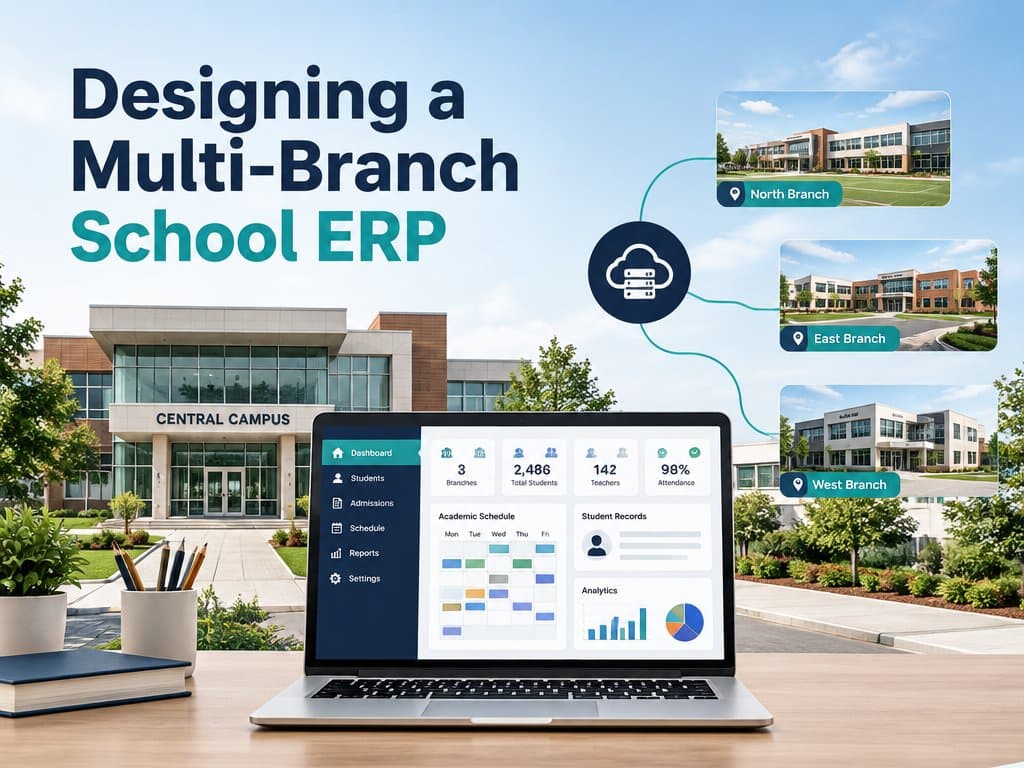
A practical data model for a multi-branch school ERP: branch tenancy, student transfers, fee structures, and group reporting that does not double count.
Designing a Multi-Branch School ERP: Modeling Branches, Students, and Fees
The first branch is easy. You model students, classes, and fees, ship it, and everyone is happy. The second branch is where the design starts to hurt. Two fee policies, a student who moves campus mid-term, a parent with children in both buildings, and a head office that wants one cash-collected number for the month.
A multi-branch school ERP is not a single-school system with a branch_id column bolted on. The branch changes what "a student" means, how money is counted, and who is allowed to see what. Get those three models right and the rest is ordinary software. Get them wrong and every new campus adds another spreadsheet.
This guide walks through the data model I would use today: how to represent branches, how to keep one student identity across campuses, and how to structure fees so branch reports and group reports agree.
Tip
TL;DR — Treat the branch as the tenancy boundary, keep academic catalogs global, give each student one identity with branch-scoped enrolments, and post every fee transaction to exactly one branch ledger. Group reports are then a sum, not a reconciliation project.
Why multi-branch projects fail before the first line of code
Most multi-branch school ERP projects fail for the same reason single-school projects do: the team models screens before it models the institution. I have watched this happen in ERP work across the Gulf, and the pattern is consistent enough that I wrote about it in why ERP implementations fail in the UAE.
The failure usually looks like this. Each branch has been running its own process for years. Accounts keeps a cash book in Excel. Admissions has a shared spreadsheet. The registrar tracks transfers in WhatsApp. Nobody can define "enrolled student" the same way twice.
If you start building forms on top of that, you automate the disagreement. Six months later the head office still cannot compare branches, because each branch is technically correct in a different way. If the group is still running on shared spreadsheets and WhatsApp, that is the first symptom; signs your business has outgrown spreadsheets covers the rest.
The fix is boring and it happens before development: write down what is shared, what is local, and what is aggregated. Then let the schema enforce it.
Start with the branch, not the student
The branch should be a first-class record, not a label. It needs an owner, a timezone, a currency, a fee policy, an academic calendar, and a lifecycle. A branch is opened, renamed, merged, or closed. Your model has to survive all four.
A useful split looks like this:
- Global (set once for the group): subjects, grade levels, grading schemes, fee head templates, roles, and permissions.
- Branch-level: students' enrolments, classes and sections, staff assignments, fee assignments, attendance, and local calendars.
- Reporting layer: enrolment counts, collections, outstanding balances, and attendance trends, filtered by role.
That split is the whole design in one paragraph. Everything else is implementation detail.
The branch is your tenancy boundary
Even if all branches share one database, every operational row should carry a branch_id. That column is not decoration. It is the boundary your access control uses, your reports filter on, and your backups can be scoped to.
Two rules keep it honest:
- Operational data is written with a branch context that comes from the session, never from a request body.
- A query without a branch filter is a bug, not a convenience.
I prefer enforcing this in one data-access layer instead of remembering it in every query. If your database supports row-level security, use it as a second fence. The goal is that a branch principal who edits a URL gets a 403, not another campus's student list.
Important
Hiding a menu item is not access control. If the API still returns cross-branch data when called directly, you have a confidentiality problem, not a permissions feature.
Modeling students across branches
This is where most designs break. Teams either duplicate a student per branch, which destroys history, or they keep one global student record with no concept of enrolment, which makes "which branch is this student in?" unanswerable.
Use three layers instead.
1. Person
The person is the human. Name, date of birth, guardian contacts, national ID, and a stable internal ID. This record does not belong to a branch. A parent with three children should not create three near-duplicate people.
2. Student profile
The student profile holds academic attributes that follow the person: previous schools, medical notes, transport eligibility, and documents. Keep it global but versioned.
3. Enrolment
The enrolment is the branch-scoped record. It holds the academic year, grade, section, fee plan, status, and dates. A student who moves from Branch A to Branch B gets a new enrolment, not a new person.
That gives you clean answers to hard questions:
- History: every enrolment is preserved, so transcripts never lose a term.
- Siblings: one guardian record, many enrolments, one parent login.
- Transfers: a transfer is a workflow that closes one enrolment and opens another, carrying documents and balances.
A transfer should be a first-class action, not an edit. It needs an initiator, an approver at the receiving branch, an effective date, and a snapshot of the fee position at the moment of transfer. If you skip the snapshot, you will spend years explaining why an old invoice "changed branch".
Fees: the hardest part of a multi-branch school ERP
Fee logic is where multi-branch systems usually diverge into folklore. One branch charges per term, another per month. One gives sibling discounts on tuition only, another on transport too. The group wants a consolidated view without pretending the branches are identical.
Model fees in four separate objects:
- Fee head — what is being charged (tuition, transport, books, activities). Global template, branch can enable or disable.
- Fee plan — the schedule and amount for a grade or programme in a branch. This is branch-level.
- Fee assignment — the plan attached to a specific enrolment, with effective dates and any approved concession.
- Transaction — an invoice, payment, waiver, or refund. Every transaction posts to exactly one branch ledger.
That separation matters because each object changes at a different cadence. A fee head rarely changes. A plan changes yearly. An assignment changes when a family gets a scholarship. A transaction changes daily. If you are budgeting the project, the ERP implementation cost in Saudi Arabia breaks down where the money actually goes.
Consolidate by summing, not by copying
Group reporting should never copy branch data into a second table and then try to keep both in sync. That is how double counting starts.
Instead, make the ledger the source of truth and give it two dimensions: branch_id and academic_year. A branch report filters on one branch. A group report filters on the year and groups by branch. The same rows produce both numbers.
Warning
If your consolidated report is built from exported Excel files, you do not have a group report. You have a monthly argument with a formula in it.
Handle discounts explicitly
Concessions are the most common source of "the numbers do not match" calls. Store them as their own records with a reason, an approver, a start date, and an end date. Never encode a discount by editing the invoice amount. When a parent asks why the balance changed, you need a trail, not a guess.
Access control that survives an audit
Roles in a school group are not a simple ladder. The same title means different things at different levels.
A workable role set:
- Group admin: all branches, configuration, and consolidated reports.
- Branch principal: one branch, all operational data inside it.
- Branch accountant: one branch, financial data only.
- Teacher: assigned classes and sections only.
- Parent: their own children's enrolments, across branches.
- Auditor: read-only, often cross-branch, no edits.
Two details make this usable. First, permissions should be data-scoped, not screen-scoped. Second, every write should produce an audit entry with actor, branch, before, and after.
That audit trail is not bureaucracy. It is what lets you open a new branch without rebuilding trust in the numbers.
A schema you can start with
You do not need a perfect schema on day one, but you do need the right shape. Here is the core of it.
-- branches: the tenancy boundary
create table branches (
  id            uuid primary key,
  group_id      uuid not null,
  name          text not null,
  timezone      text not null,
  currency      char(3) not null,
  status        text not null default 'active',
  opened_on     date,
  closed_on     date
);

-- people: global identity, no branch
create table people (
  id            uuid primary key,
  full_name     text not null,
  date_of_birth date,
  national_id   text unique
);

-- enrolments: branch-scoped, one per student per academic year
create table enrolments (
  id             uuid primary key,
  person_id      uuid not null references people(id),
  branch_id      uuid not null references branches(id),
  academic_year  text not null,
  grade_level    text not null,
  section        text,
  status         text not null default 'active',
  started_on     date not null,
  ended_on       date,
  unique (person_id, branch_id, academic_year)
);

-- ledger: one row per financial event, always one branch
create table fee_transactions (
  id             uuid primary key,
  enrolment_id   uuid not null references enrolments(id),
  branch_id      uuid not null references branches(id),
  academic_year  text not null,
  kind           text not null, -- invoice | payment | waiver | refund
  amount_minor   bigint not null,
  currency       char(3) not null,
  occurred_at    timestamptz not null
);
Notice what is missing: no student table that belongs to a branch, and no consolidated totals table. The branch is on the enrolment and on the transaction. Reports are queries, not copies.
A rollout order that does not take two years
The fastest way to kill a school ERP project is to promise every module to every branch on day one. A better sequence:
- One branch, core records. People, enrolments, classes, and a single fee plan. Prove the model.
- Second branch, same model. This is the real test. Do not customise yet.
- Fees and collections. Add the ledger, invoices, and receipts.
- Group reporting. Only after two branches produce trustworthy numbers.
- Transfers and sibling accounts. These need history, so they come after the base is stable.
- Add branches on a schedule. Each new campus should be configuration, not code.
If step two requires new tables, stop and fix the model. That is cheaper than discovering it at branch eight.
Note
A useful sanity check: can you onboard a new branch with a form, a fee plan, and a user list, without a developer? If not, you built a custom app, not a multi-branch school ERP.
Wrapping Up
A multi-branch school ERP is mostly a modelling problem. Make the branch the tenancy boundary, keep one identity per person, treat enrolment as the branch-scoped link, and post every fee event to exactly one ledger. Do that and group reporting becomes arithmetic instead of archaeology.
If you are planning the next campus, start with the shared-versus-local list and the enrolment model. Everything else gets easier after that.
Planning a school group rollout? See how I approach custom ERP projects or get in touch to talk through your branch structure.
Related Posts
Related Articles
Oman Fawtara E-Invoicing: What Your ERP Must Do Before April 2027
Oman's e-invoicing rollout is now law: large taxpayers go live 1 April 2027, everyone else 1 October 2027. Here is what has to change inside your ERP.

UAE E-Invoicing and Corporate Tax: What Your Accounting System Must Handle Before 2027
The ASP deadline is 30 October 2026 and go-live is 1 January 2027. Here is what your accounting system must handle, for e-invoicing and corporate tax together.

The 12 Questions to Ask Before You Sign an ERP Contract in the Gulf
Twelve questions that have cost clients real money when they went unasked, including three Gulf-specific compliance questions to ask before the demo.