
Qoyod vs Daftra vs Odoo vs Custom: Which Actually Fits a Saudi SMB?
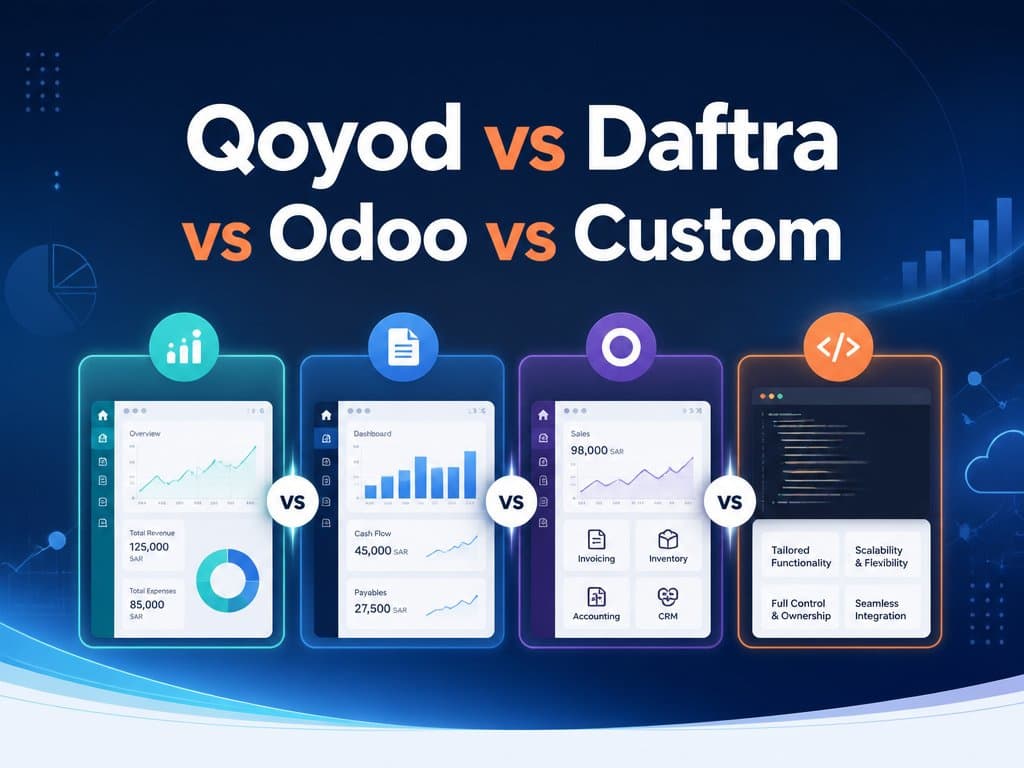
Four different answers to the same problem. Here is which one fits which business, and the revenue point where each stops making sense.
Qoyod vs Daftra vs Odoo vs Custom: Which Actually Fits a Saudi SMB?
Every Saudi SMB owner researching accounting software runs into the same four names within an hour of searching: Qoyod, Daftra, Odoo, and "just build it custom." Comparing Qoyod vs Daftra on paper doesn't help much, because they're not really solving the same problem for the same business — and neither is Odoo, or a custom build.
Each of the four is a genuinely good answer for a specific kind of business, and a genuinely bad one for the business next door. This isn't a "best accounting software Saudi Arabia" ranking with a single winner at the top — it's a map of which tool fits which situation, and roughly where each option stops making financial sense.
By the end of this post you'll know which of the four fits your current stage, and — more usefully — what to watch for that tells you it's time to move to the next one.
Tip
TL;DR — Qoyod fits a straightforward small business that mainly needs ZATCA-compliant invoicing and basic bookkeeping. Daftra fits a service or trading business that wants CRM and inventory bundled in. Odoo fits a business willing to trade implementation complexity for deep customization within a large ecosystem. Custom fits a business whose workflow is genuinely different from what any of the three assume — and only once that difference is actually costing money.
What each one actually is
- Qoyod is a Saudi-built, cloud-based accounting SaaS focused on invoicing, bookkeeping, and ZATCA e-invoicing compliance. Its strength is narrowness — it does accounting well and doesn't try to be a full ERP.
- Daftra is a broader MENA business-management SaaS: accounting sits alongside CRM, inventory, HR, and a client portal. It's the choice when you want one login for more than just the books.
- Odoo is an open-source, modular ERP with an accounting app as one piece of a much larger suite (sales, inventory, manufacturing, HR). It's the most powerful of the three and also the one most likely to need a partner to implement well.
- A custom build is exactly what it sounds like: software written around your process instead of your process being adapted to fit software. See why more growing teams stop recommending off-the-shelf tools for the general version of when that trade-off flips.
Qoyod vs Daftra vs Odoo, side by side
| Qoyod | Daftra | Odoo | |
|---|---|---|---|
| Best for | Simple accounting, ZATCA compliance | Accounting + CRM + inventory in one | Complex, multi-department operations |
| Setup effort | Low — sign up and go | Low–medium | Medium–high, often needs a partner |
| Customization ceiling | Low | Medium | High (module ecosystem) |
| Where it strains | Anything beyond bookkeeping | Deep customization per module | Cost and complexity at small scale |
Read the table as a filter, not a scoreboard. If your only real requirement is "compliant invoices and clean books," Qoyod's low setup effort wins outright — Odoo's flexibility is wasted on a business that never needs it. If you need inventory and a basic CRM without three separate subscriptions, Daftra's bundle beats assembling Qoyod plus two other tools. Odoo only earns its complexity once you have distinct departments — sales, warehouse, manufacturing — that genuinely need to share one data model.
Where each option stops making sense
Qoyod stops working the moment your business needs something structurally outside accounting — multi-branch inventory sync, a sales pipeline with stages and forecasting, or workflow automation tied to non-financial events. You can bolt on other tools, but now you're maintaining integrations between systems that were never designed to talk to each other.
Daftra stops working when any one module — usually CRM or inventory — needs to go deeper than a generalist tool supports. A trading company outgrows Daftra's inventory the moment it needs multi-warehouse allocation logic or barcode-driven picking; a sales team outgrows its CRM the moment they need custom pipeline stages tied to approval workflows.
Odoo stops making sense in the other direction: below a certain size, its implementation cost and the ongoing need for a partner to manage customizations outweigh what a smaller, focused tool would have cost. Odoo shines with real complexity to manage — it's expensive overhead for a business that doesn't have that complexity yet.
Custom makes sense only once you can point to a specific, recurring cost that an off-the-shelf tool is causing — hours spent reconciling data between disconnected systems, deals or patients or leads falling through gaps that only exist because two tools don't share a data model, or a workflow so central to how you compete that adapting it to fit generic software is itself the competitive disadvantage. What ERP implementations actually cost in Saudi Arabia covers the failure side of that decision — going custom without that specific cost identified first is how projects stall.
Important
ZATCA Phase 2 compliance is table stakes, not a differentiator, among all three off-the-shelf options — Qoyod, Daftra, and Odoo (with the right localization) all handle e-invoicing integration. A custom build has to implement that same ZATCA Phase 2 integration from scratch, which is real, non-trivial scope to budget for if you go that route.
A simple way to decide
Answer these in order, and stop at the first one that applies:
- Is your business's core need just clean, compliant accounting, with nothing unusual about how you invoice or track expenses? → Qoyod.
- Do you need accounting plus CRM and/or inventory, without deep customization in any one of them? → Daftra.
- Do you have genuinely distinct departments that need to share data, and the budget for a proper implementation partner? → Odoo.
- Is there one specific, expensive gap that none of the above closes, and can you name the cost it's creating today? → Custom — but only for that gap, not as a wholesale replacement on day one.
What switching later actually costs
The question nobody asks up front — and the one that matters most once a business outgrows its first pick — is how expensive it is to leave. This isn't the same as monthly price.
Moving off Qoyod is usually cheap: it's a focused tool, your chart of accounts and invoice history export cleanly, and you're not untangling CRM or inventory data that was never in there to begin with. Moving off Daftra costs more, because by the time you outgrow it you likely have years of CRM and inventory history woven into the same account as your books — migrating that cleanly takes real planning, not just a CSV export. Moving off Odoo is the most expensive of the three in practice, not because the data is hard to export, but because whatever custom modules or workflow automations a partner built for you on top of it don't come with you; they get rebuilt from scratch on whatever you move to next.
That asymmetry is worth weighing before you pick, not just when you're deciding to leave. A business that expects to outgrow its first tool within two or three years should weight the "how painful is exit" column at least as heavily as the "how cheap is entry" column — the cheapest tool to start with is not always the cheapest tool over a five-year horizon.
Wrapping Up
There's no universal answer to Qoyod vs Daftra vs Odoo vs custom — there's only the answer for where your business is right now, and a signal to watch for that tells you when it's time to reconsider. Most SMBs that get this wrong don't pick a bad tool; they pick the right tool for a business two sizes smaller or bigger than the one they actually run.
Reassess this choice when your workflow starts fighting the tool instead of the other way around — that friction is the actual signal, not a calendar date.
Tip
Not sure which side of that line you're on? See how we've built custom systems for Saudi and UAE businesses or get in touch to talk through where the off-the-shelf ceiling actually is for your case.
Related Posts
Related Articles
ERP vs. Custom Software for Egyptian SMEs: When the E-Invoice (ETA) Mandate Changes the Math
Egypt's e-invoicing mandate stopped being a compliance formality and became a live, real-time integration with the ETA platform — and that shift quietly changes the ERP-vs-custom calculus for Egyptian SMEs.

ERP Implementation Cost in Saudi Arabia: What the Licence Price Hides
The licence is about a third of the bill. Data migration, ZATCA integration, Arabic localisation and training are the rest — here is how to price them.
ZATCA Phase 2 Integration: A Technical Guide for Saudi Businesses
What ZATCA Phase 2 integration actually requires from your ERP or POS — the XML, the cryptographic stamp, the API calls, and where it breaks.